Debt Payoff Spreadsheet
Debt Snowball Spreadsheet & Avalanche · Debt Tracker
View on Etsy- Excel + Google Sheets
- Instant download
See the month you will be debt-free and the interest you will pay – with Snowball, Avalanche and your own order side by side – then exactly what to pay on each debt this month.
For anyone in the US paying off credit cards, student loans, a car loan, personal loans or medical bills with a set amount you can put toward debt each month – on your own or as a couple. List your debts once, add the extra you can afford, and the sheet calculates every month until the last debt is gone.
WHAT IT ANSWERS
- When will I be debt-free, and how much interest will I pay in total?
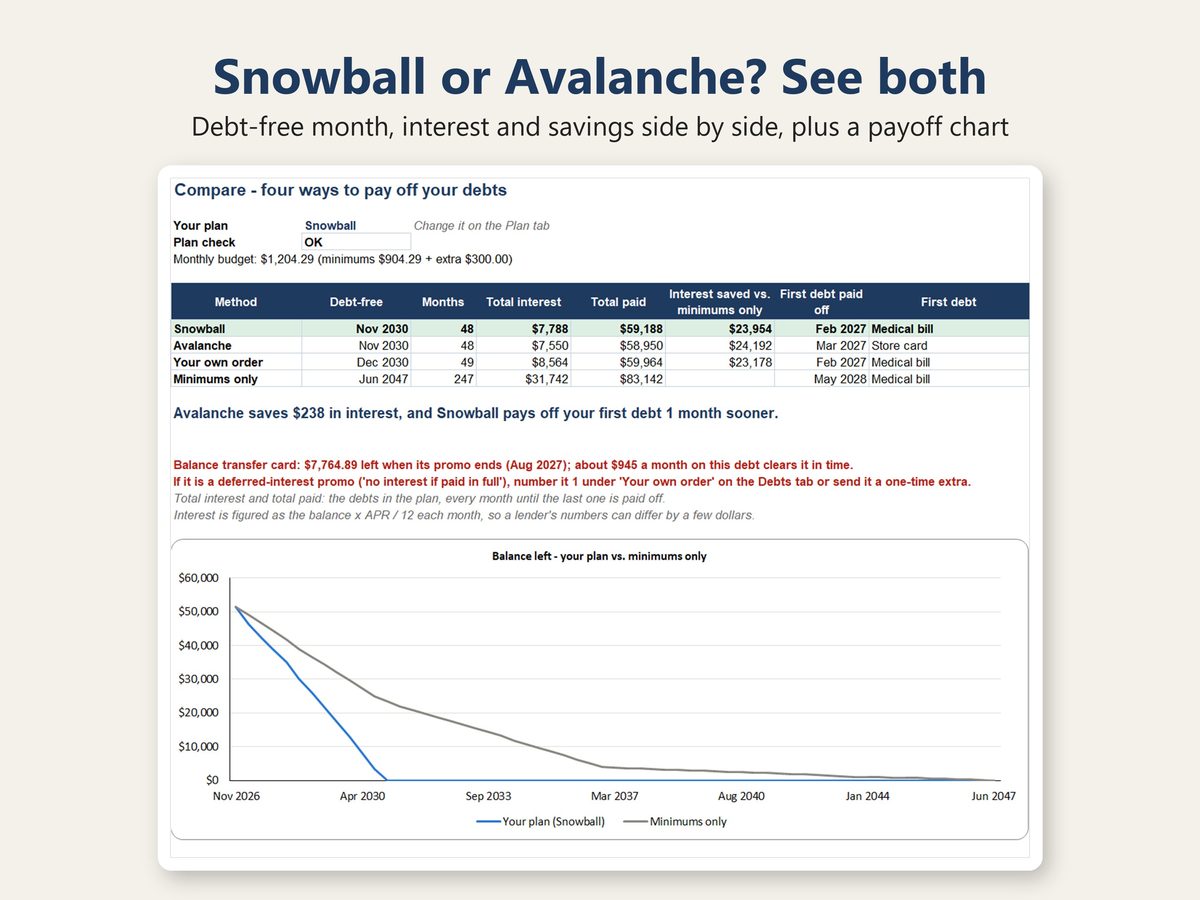
- Snowball or Avalanche? How much more interest does one cost, and how much sooner does the other pay off my first debt? (one line on the Compare tab)
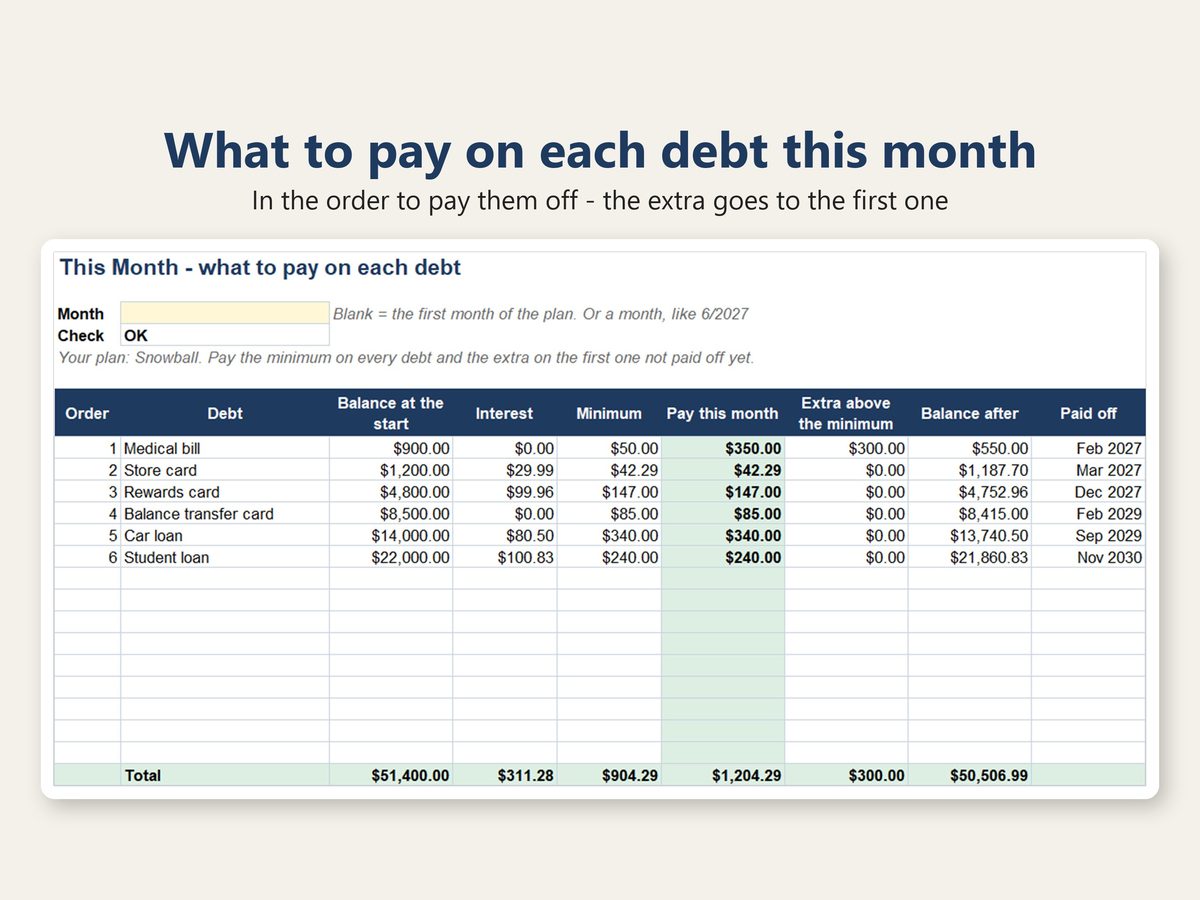
- What should I pay on each debt this month – and which one gets the extra?
- How much do I save compared with paying only the minimums? (a chart shows both)
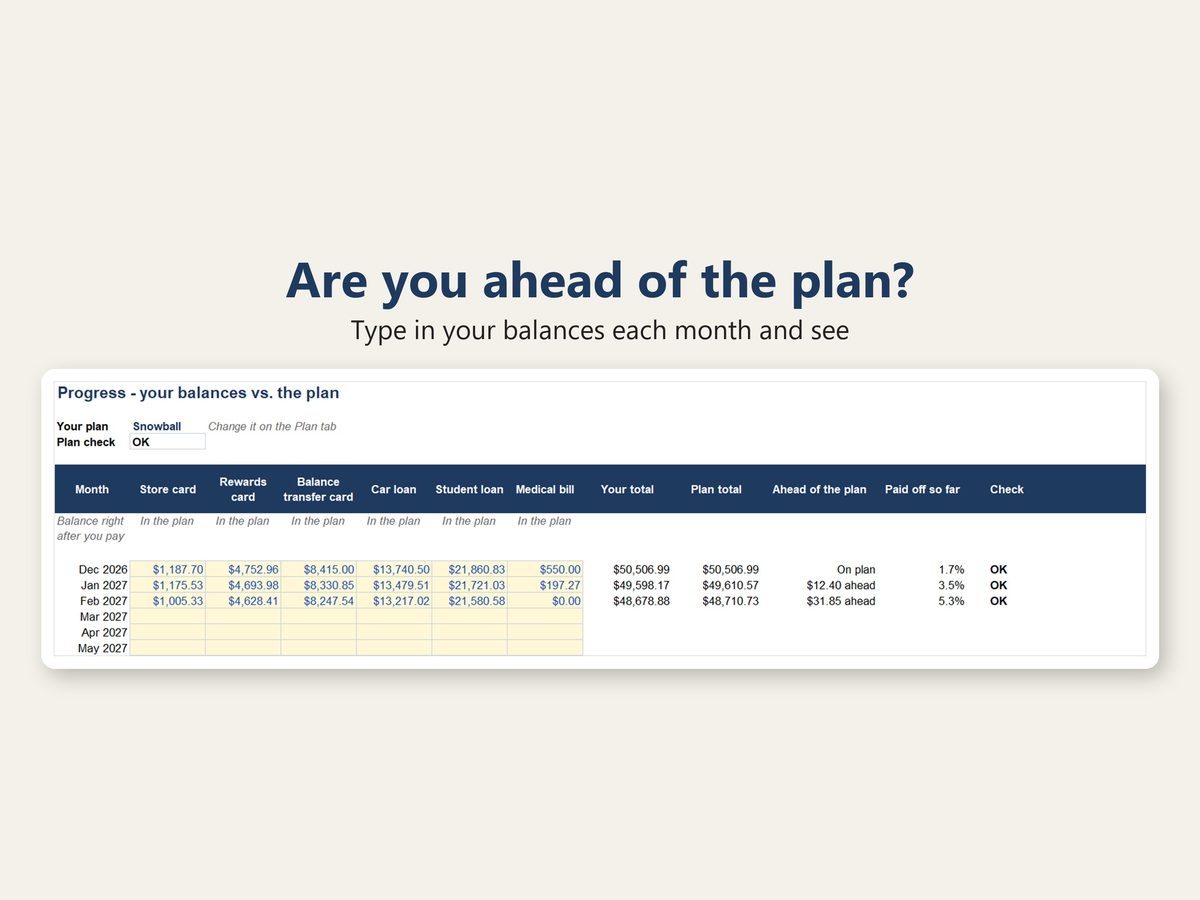
- Am I ahead of my plan?
HOW IT WORKS
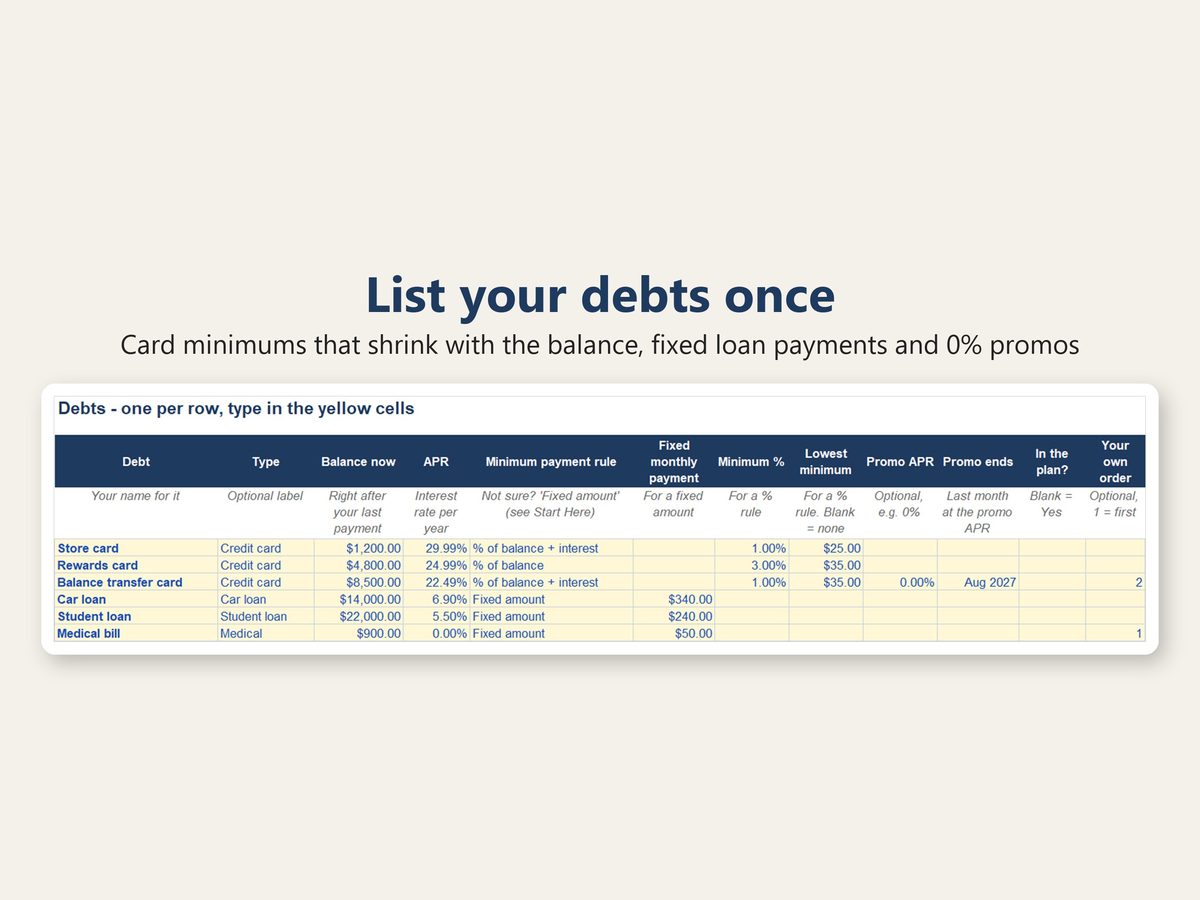
- Debts: one row per debt (up to 15) – the balance, the APR and how its minimum is calculated: a fixed monthly payment (loans) or a card's rule (a % of the balance plus the interest, or a flat %, with a lowest minimum). Add a 0% or other promo APR and the month it ends. Mark a debt you keep paying as usual, like a mortgage, as not in the plan.
- Plan: the extra you can add each month, the month you will make your next payments and the method to follow. One-time extras like a tax refund or a bonus go in a list (up to 12) – to the debt being paid off that month, or to the one you pick.
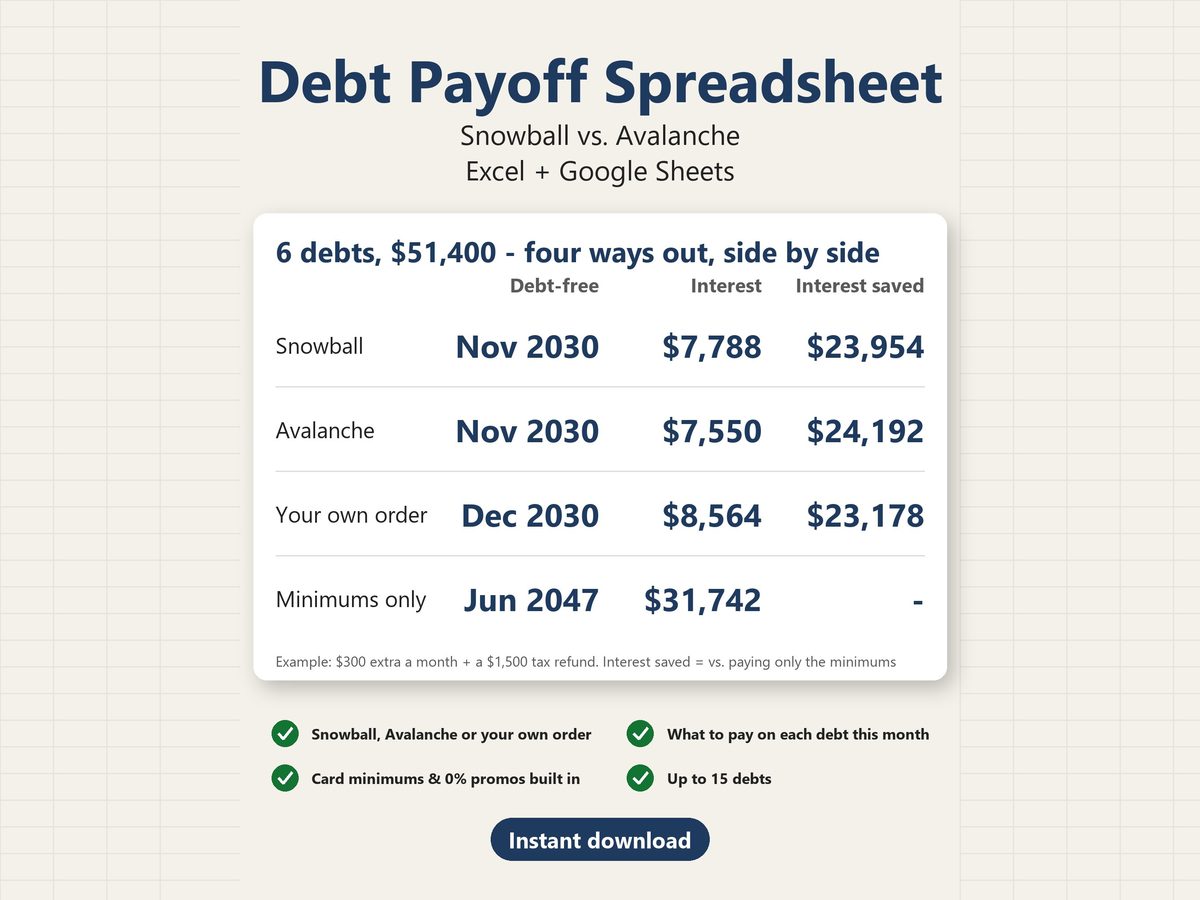
- Compare: Snowball, Avalanche, Your own order and Minimums only – the debt-free month, the months it takes, the total interest, the total paid, the interest saved and the first debt paid off – plus a chart of your balance against minimums only.
- This Month: what to pay on each debt, in the order to pay them off – and a reminder of any debt you left out of the plan.
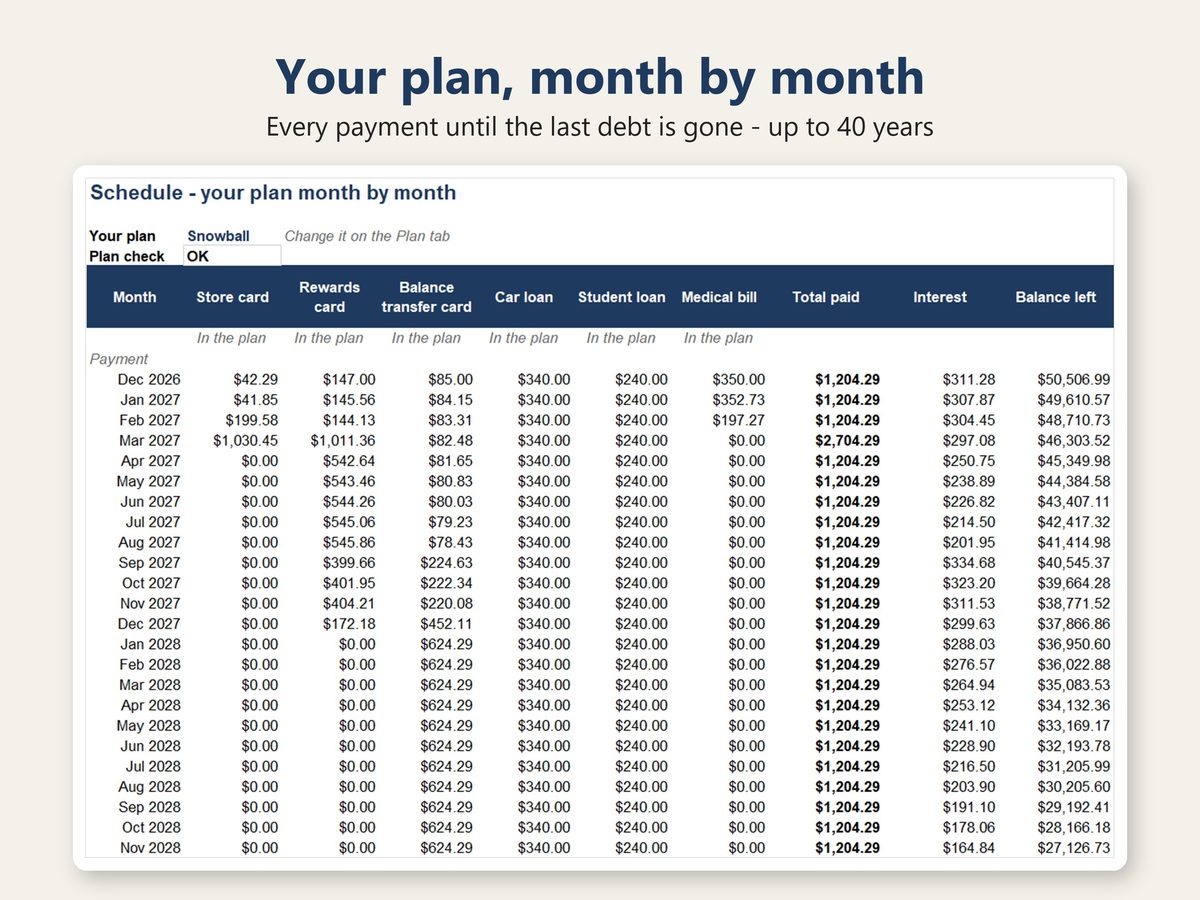
- Schedule: every payment, month by month, until the last debt is paid off (up to 40 years).
- Progress: type in your balances each month and see whether you are ahead of the plan and how much of your debt is gone.
THE SNOWBALL
Your monthly budget stays the same until the end: the first month's minimums plus your extra. When a debt is paid off, or a card's minimum goes down with its balance, that money moves to the next debt.
EXAMPLE IN THE PHOTOS
6 made-up debts ($51,400: three cards, a car loan, a student loan and a medical bill), $300 extra a month and a $1,500 tax refund. Snowball: debt-free in 48 months (Nov 2030), $23,954 less interest than paying only the minimums, which would take until Jun 2047.
WHAT YOU GET
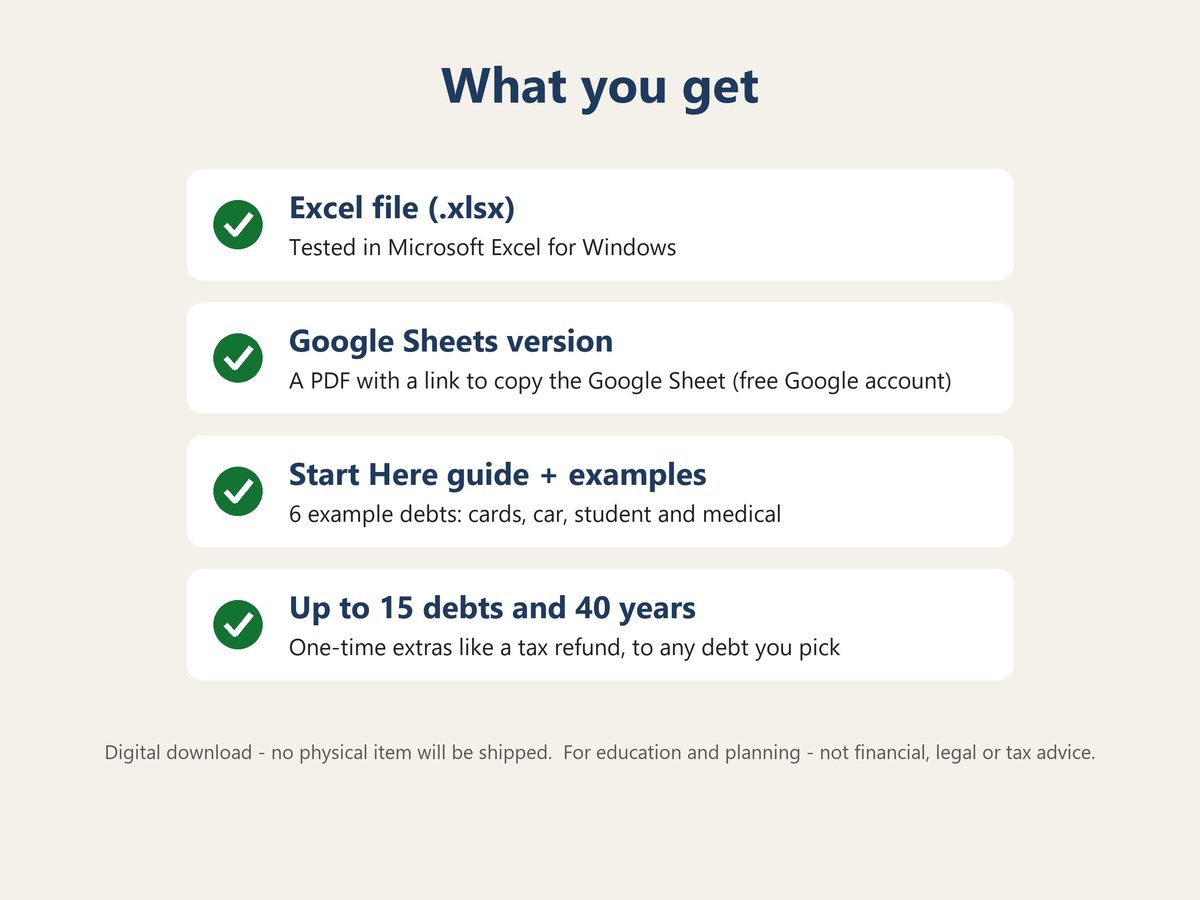
- Excel file (.xlsx) for Microsoft Excel (tested on Windows)
- Google Sheets version: a PDF with a link to make your own copy – for a Mac or Chromebook, or if you do not have Excel
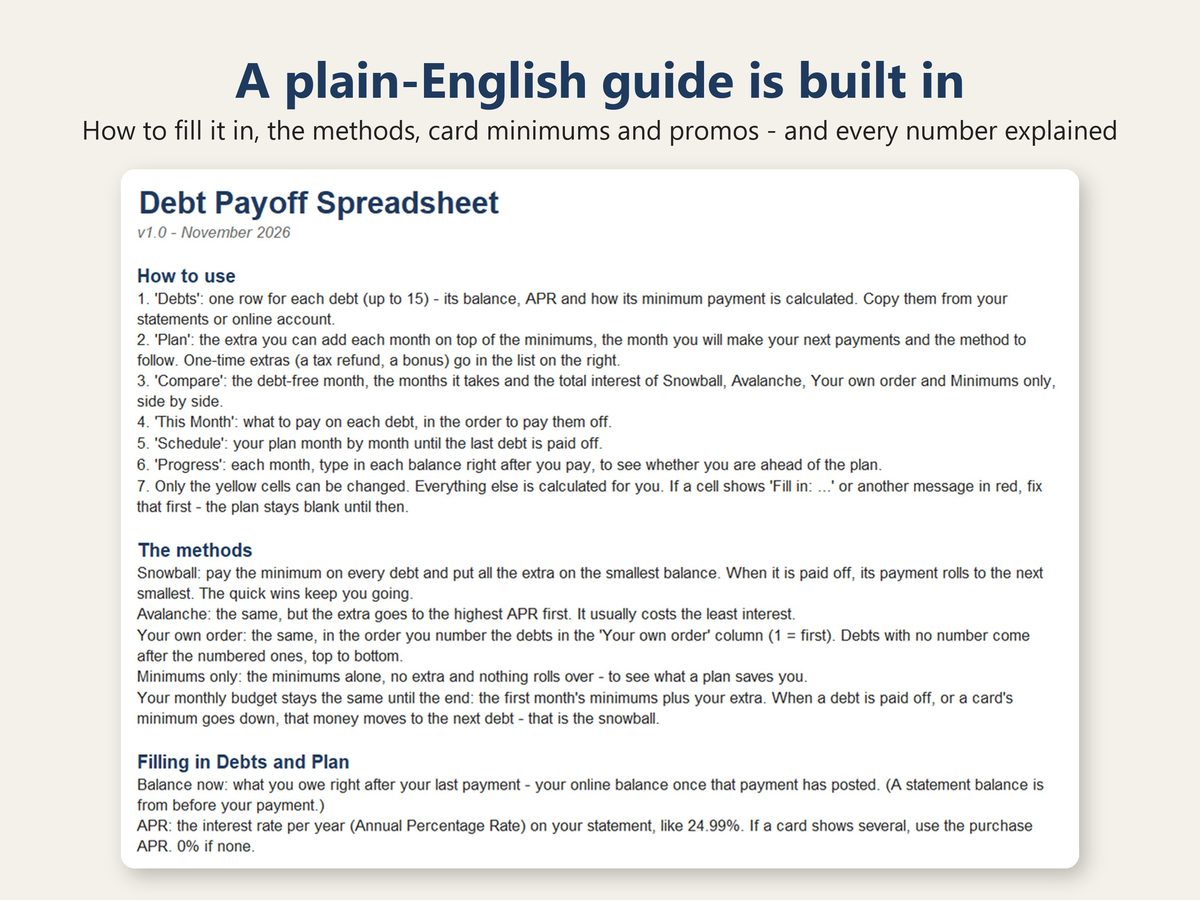
- Start Here tab: step-by-step instructions, the methods in plain English and the meaning of every number (see photo 7)
- 6 example debts – replace them with your own
- Made for a computer screen: the sheets are wide, and it has not been tested on a tablet or phone.
GOOD TO KNOW
- Interest is calculated each month as the balance x APR / 12. Card issuers charge interest daily, so your statements can differ by a few dollars.
- Card minimum rules differ by card. Check yours in your cardholder agreement or on your statement – or simply enter the minimum due from your statement.
- 'Deferred interest' promos (no interest if paid in full) charge all the interest from the start if anything is left when the promo ends. The sheet warns you in red when a balance would be left at the end of a promo, with about how much a month clears it in time.
- Not counted: annual or late fees and new purchases.
- Amounts are in US dollars.
- Only the yellow cells can be changed, so the formulas are hard to break by accident. No macros or add-ons – just formulas.
- Room for 15 debts, 12 one-time extras, a 40-year schedule and 20 years of balances on the Progress tab.
- This is a digital download. Nothing will be shipped.
- A calculator for education and planning only. This is not financial, legal or tax advice. Your lender's statements are the numbers that count.
- For your personal use. Please do not resell or share the file.
ABOUT THIS TEMPLATE
Designed by SlateTally with the help of AI tools. Every result was checked in Microsoft Excel against an independent month-by-month calculation, including unusual inputs such as a 0% APR, a minimum that does not cover the interest, a promo that ended before the first month, a one-time extra that pays off everything, a one-time extra sent to a debt already paid off, a debt left out of the plan, 15 debts and a plan that takes more than 40 years. The Google Sheets version was checked cell by cell against the Excel file.
Questions? Send a message – happy to help.