Craft Fair Planner & Sales Tracker
Craft Show Vendor Profit Spreadsheet
View on Etsy- Excel + Google Sheets
- Instant download
Before you pay the booth fee, know how much you need to sell to break even – and after the event, see what it really made you, per hour, once every cost is taken out.
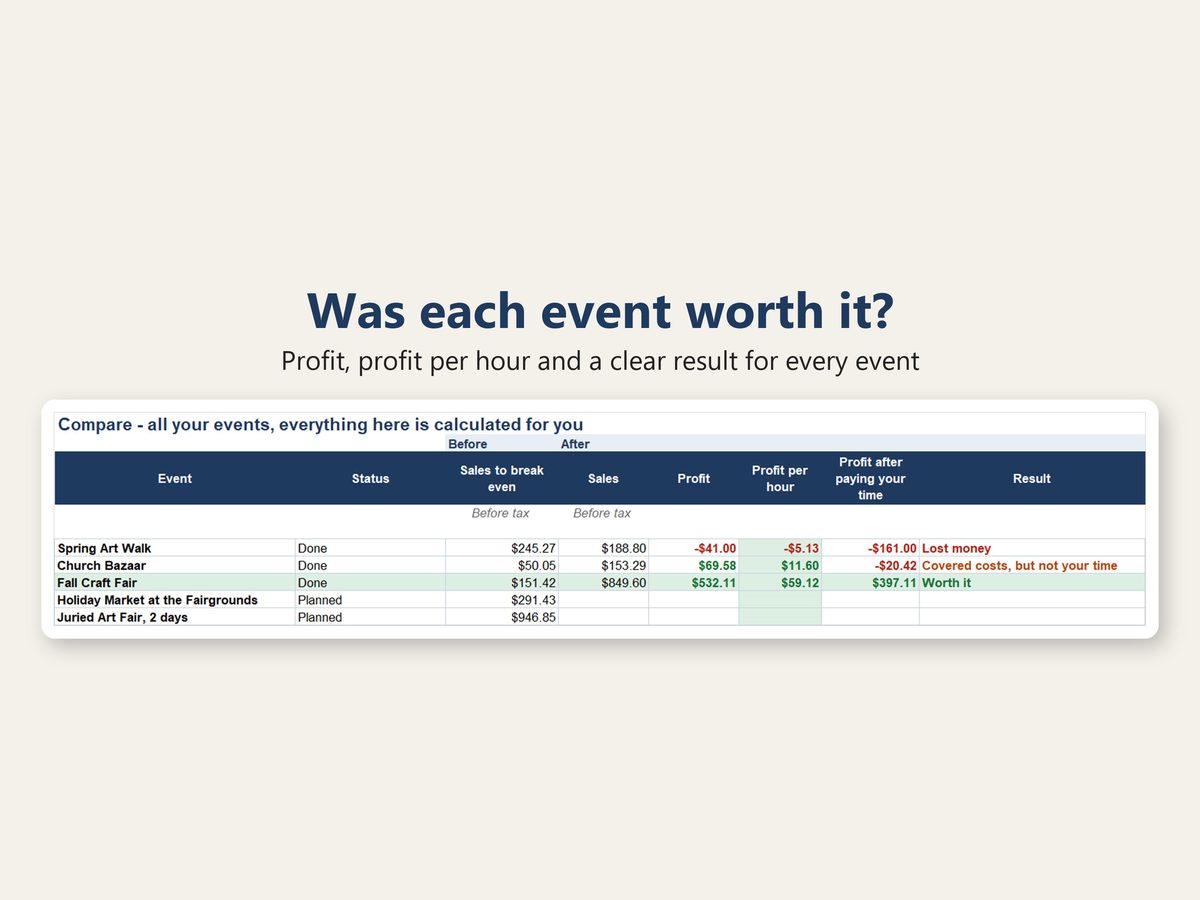
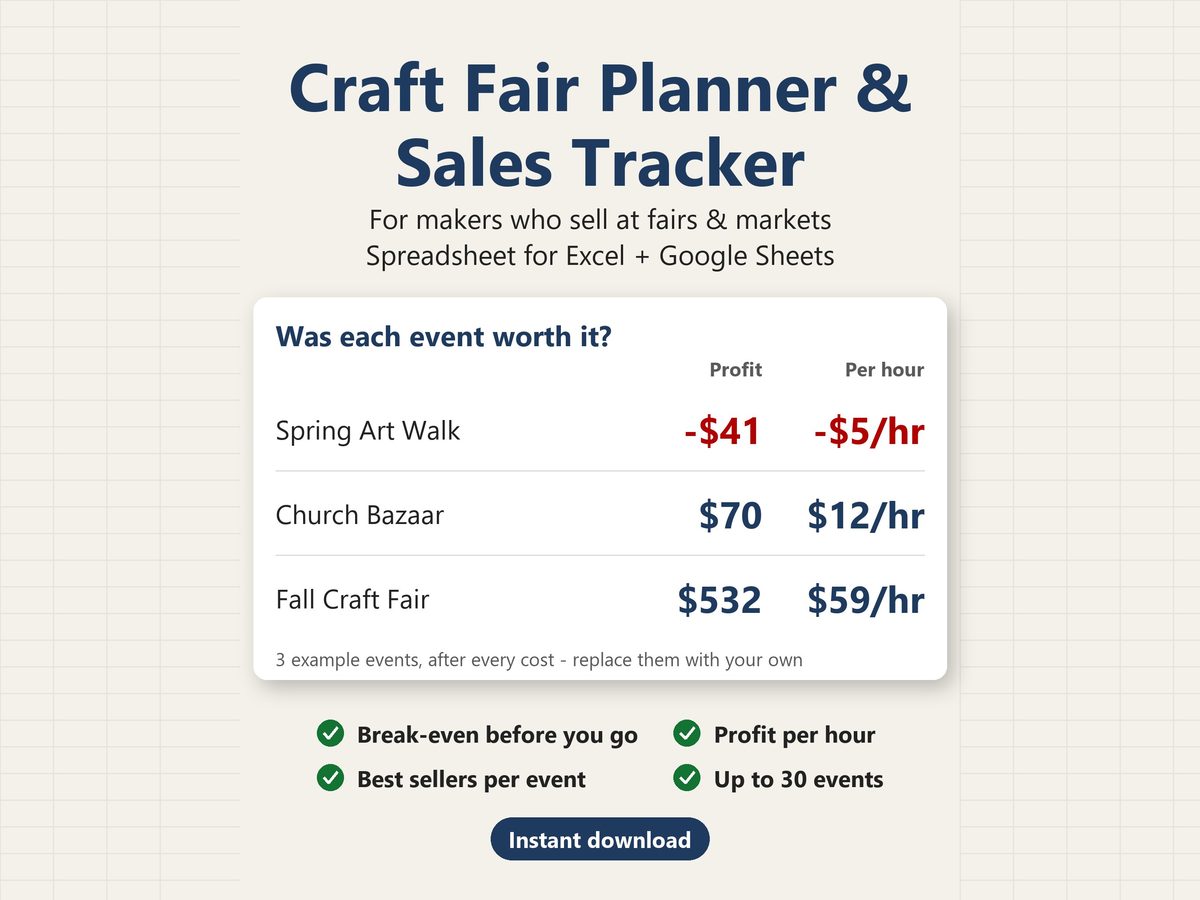
For makers who sell at craft fairs, craft shows, farmers markets, holiday markets and church bazaars. List your products and your events, and how many of each item you bring. The spreadsheet works out the break-even for each event from the stock you bring. After the event, type in how many sold and it shows your real profit, your profit per hour and which products sold best – and lines up all your events side by side.
WHAT IT ANSWERS
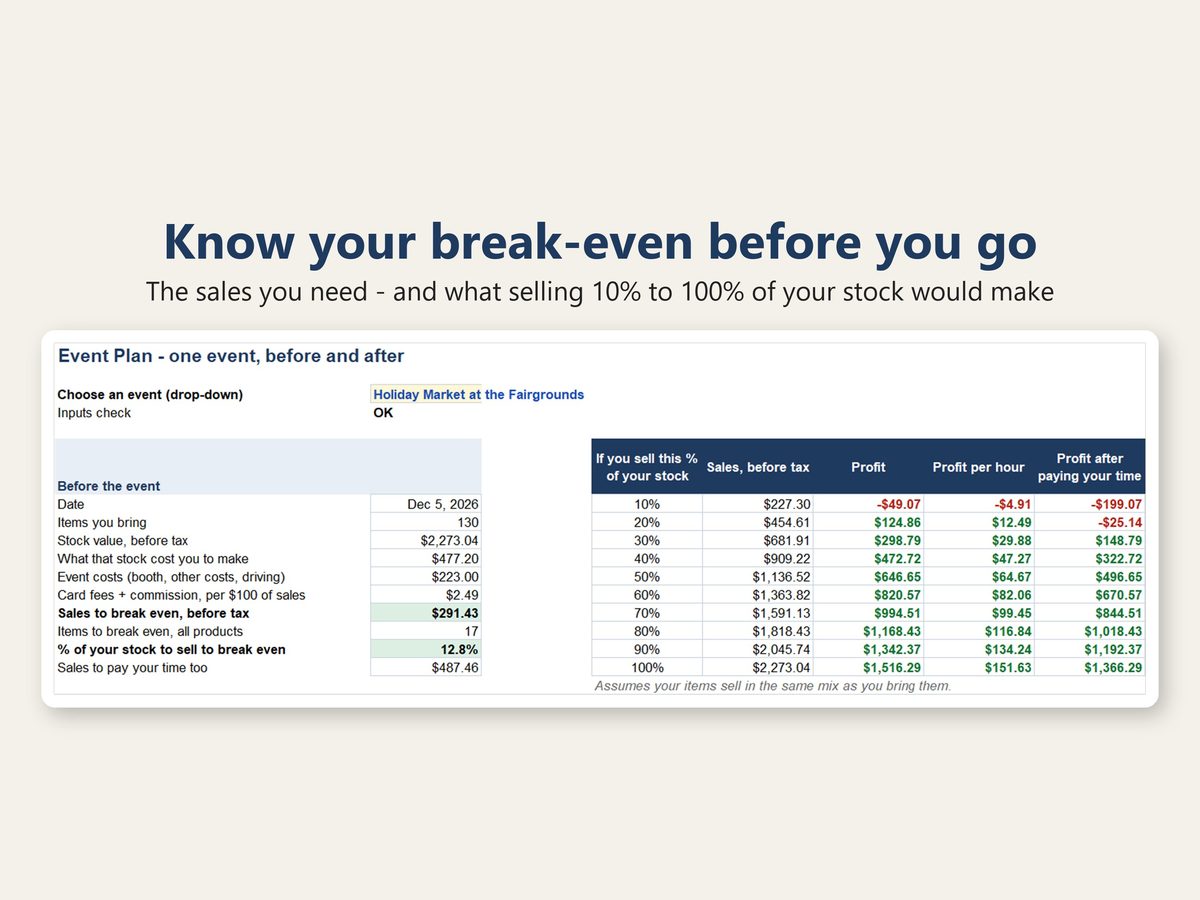
- Is this event worth the booth fee? How much – and what % of the stock I bring – do I need to sell to break even?
- If I sell half my stock, what do I make? A quarter?
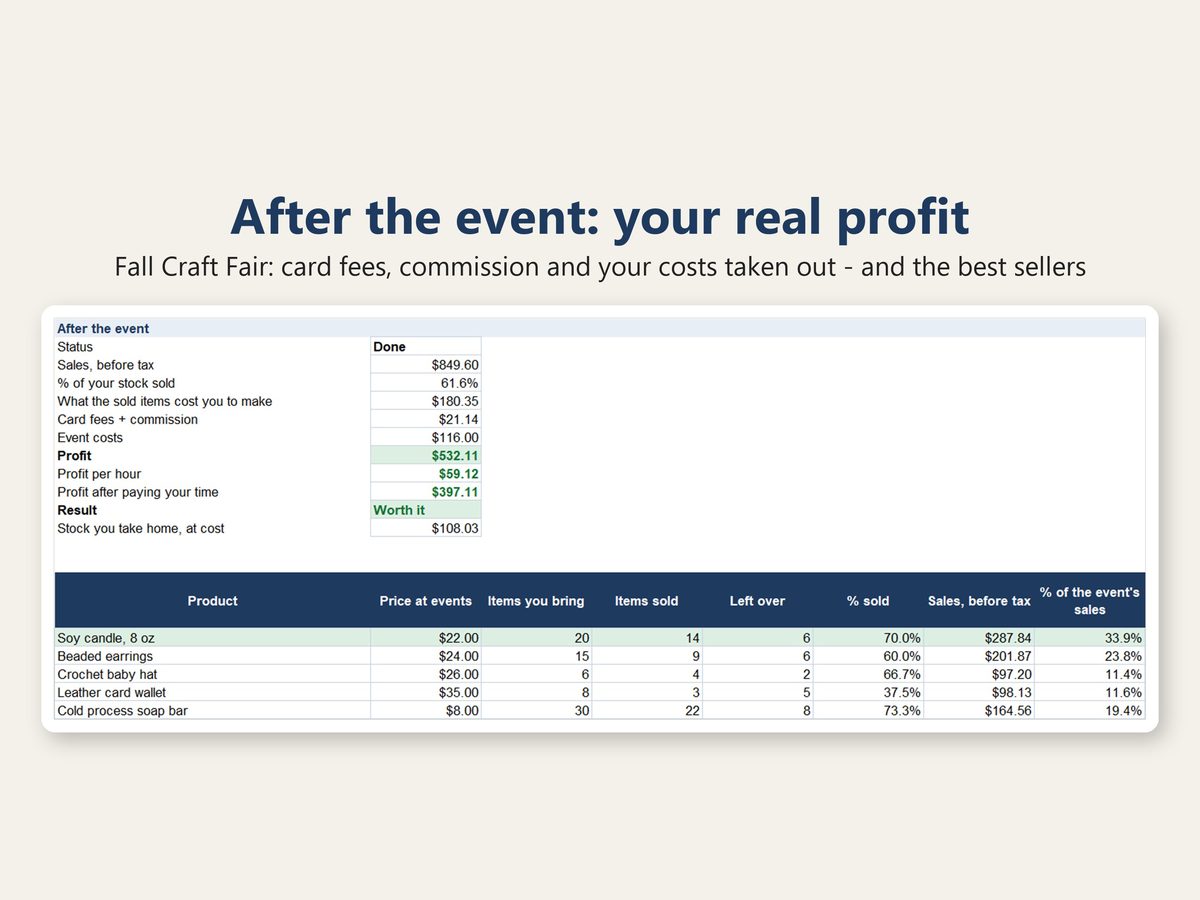
- After card fees, the event's commission, the booth, gas and the cost of what I sold – what did I really make?
- What did each event pay me per hour?
- Which products sold best at each event?
- Which events are worth doing again?
HOW IT WORKS
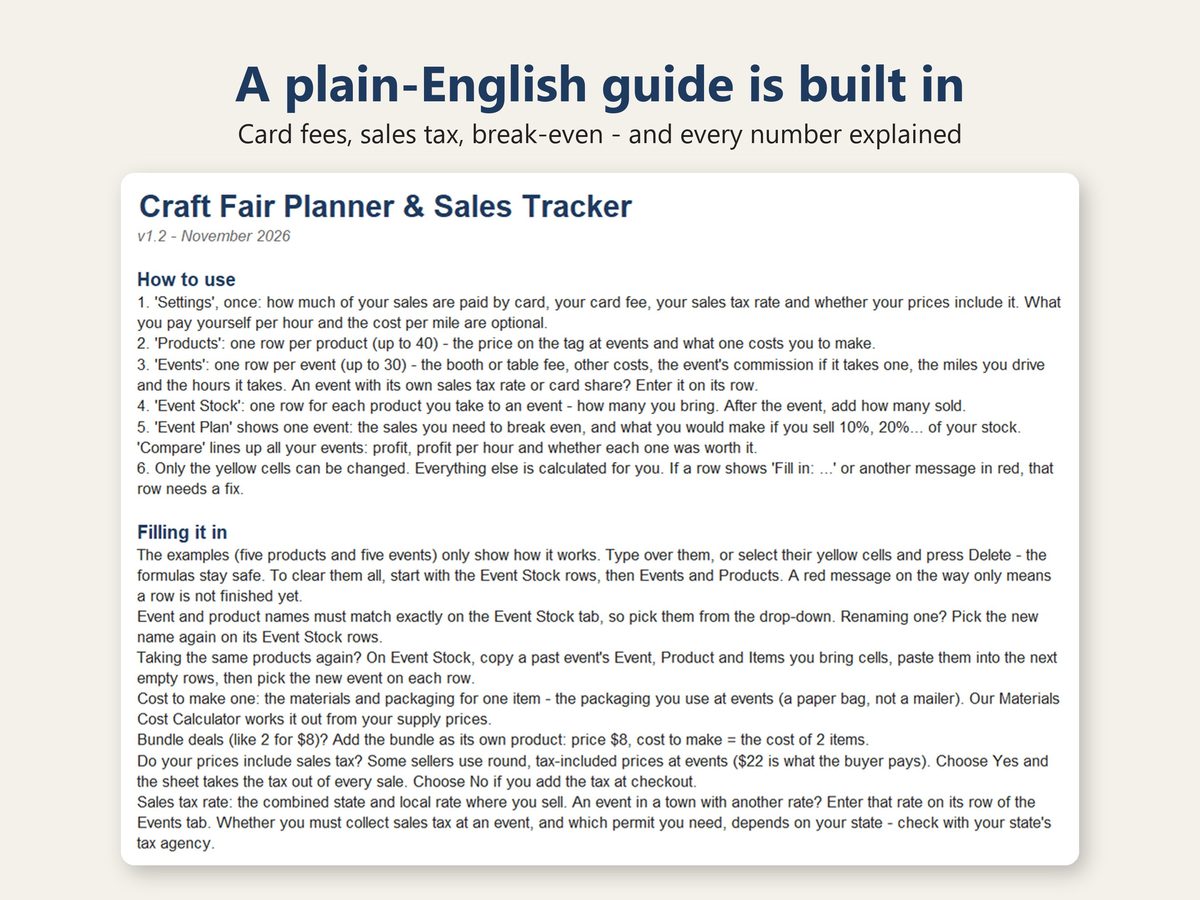
- Settings: once – how much of your sales are paid by card, your card fee, your sales tax rate and whether your prices include it. What you pay yourself per hour and the cost per mile are optional.
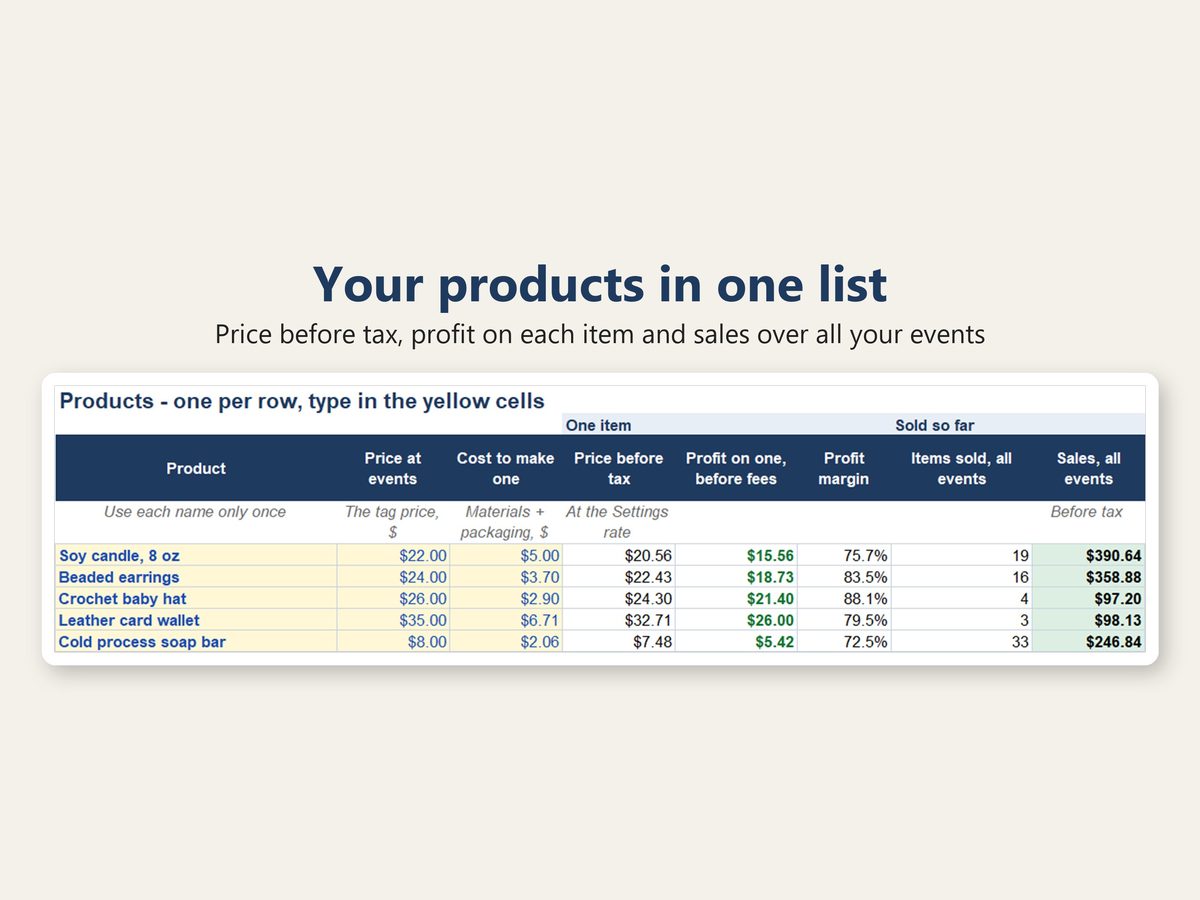
- Products: one row per product (up to 40) – the price on the tag and what one costs you to make. A bundle deal (2 for $8) can be its own product.
- Events: one row per event (up to 30) – the booth or table fee, other costs (tent, hotel, entry fee...), the event's commission if it takes a % of sales, the miles you drive and the hours it takes. An event can have its own sales tax rate and its own share of card payments.
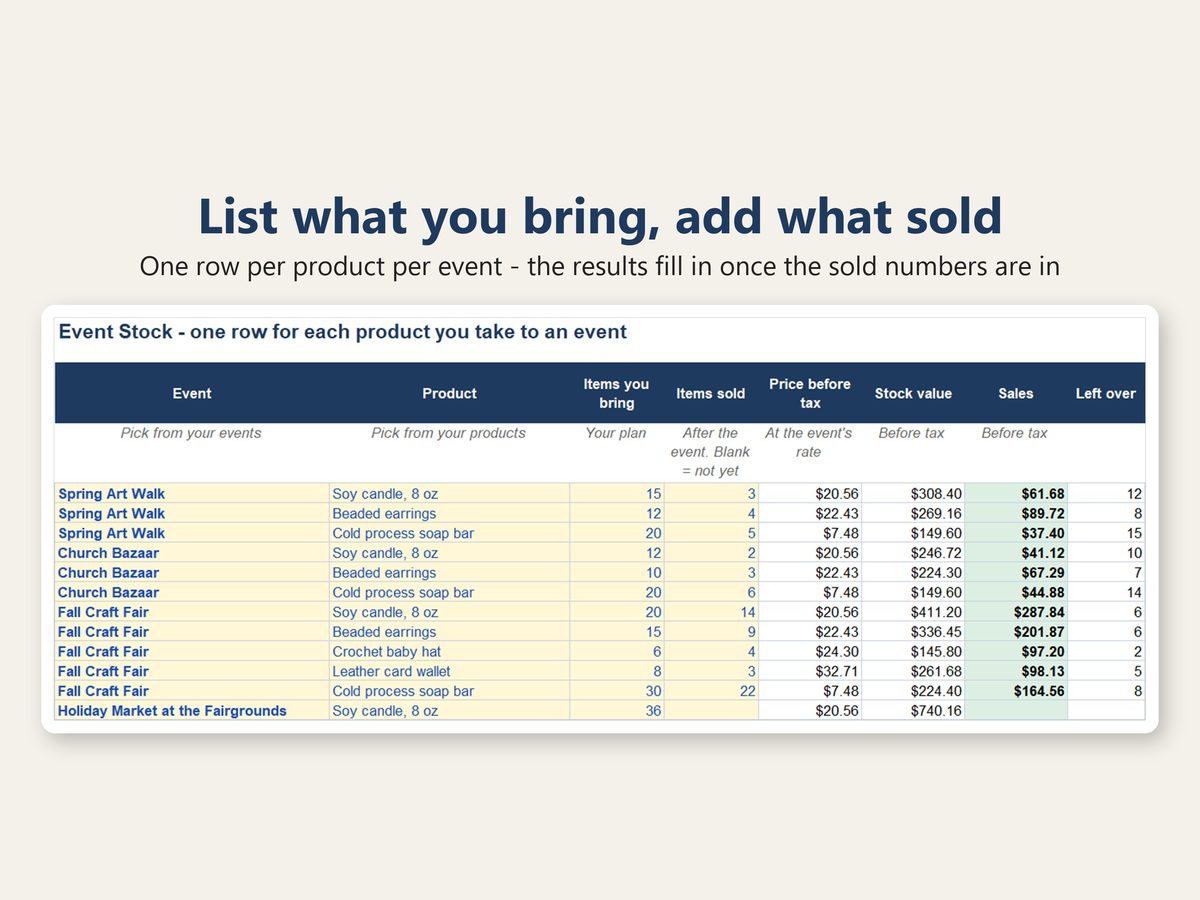
- Event Stock: how many of each product you bring to each event. After the event, add how many sold.
- Event Plan: pick an event to see the sales and items you need to break even, what selling 10% to 100% of your stock would make and, afterwards, the real profit and the best sellers.
- Compare: every event side by side – profit, profit per hour and a clear result: Worth it, Covered costs (but not your time) or Lost money.
WHAT YOU GET
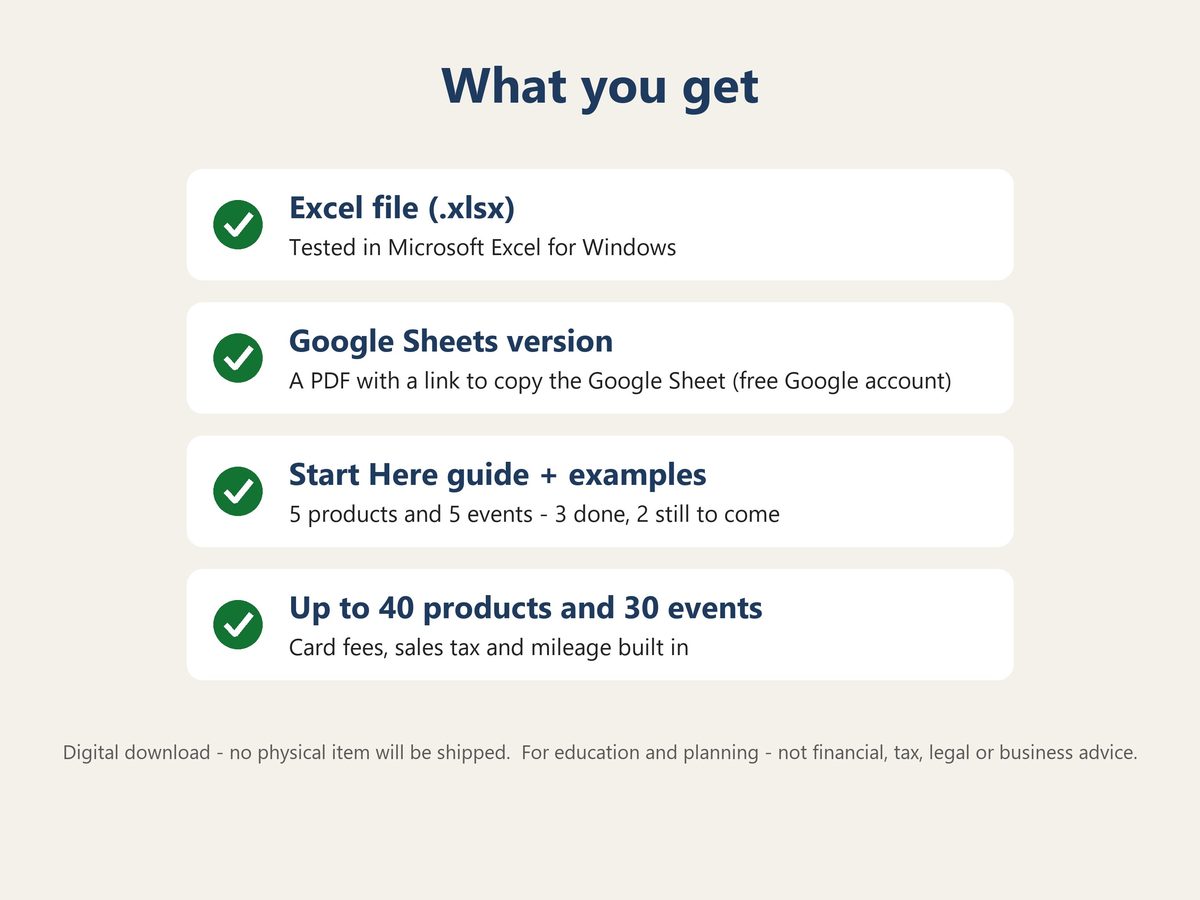
- Excel file (.xlsx), tested in Microsoft Excel for Windows – on a Mac, use the Google Sheets version
- Google Sheets version: a PDF with a link to make your own copy (use this one on a Mac or Chromebook if you do not have Excel)
- Start Here tab: step-by-step instructions and the plain-English meaning of every number (see photo 7)
- 5 example products and 5 example events (3 done, 2 still to come) – replace them with your own
GOOD TO KNOW
- Prices with sales tax included, or tax added at checkout? Both work – pick one on the Settings tab. The tax you collect is left out of your sales and profit.
- An event in a town with another sales tax rate can have its own rate. Whether you must collect sales tax at an event depends on your state – the spreadsheet does not decide that for you.
- Card fees are counted on what the buyer pays, tax included. The example rate (2.6% + $0.15 per payment) is a common in-person rate – enter your own card reader's rate.
- The break-even assumes your items sell in the same mix as you bring them.
- "Worth it" counts the event's hours. Not counted: the time it takes to make your items, one-time purchases like a tent, table or display (add a share of them to an event's other costs if you like) and income tax.
- Take only cash? Set the share paid by card to 0% and leave the average card payment blank.
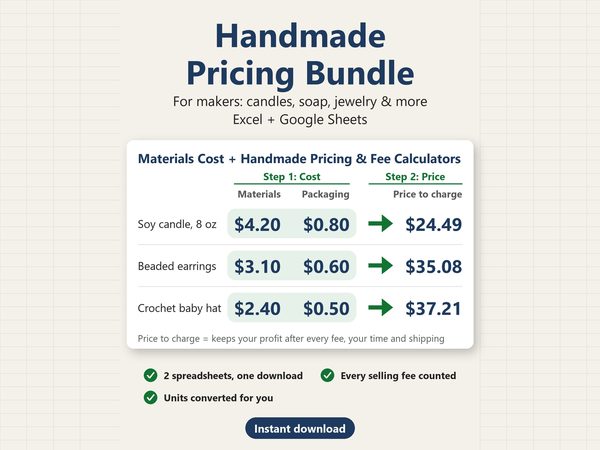
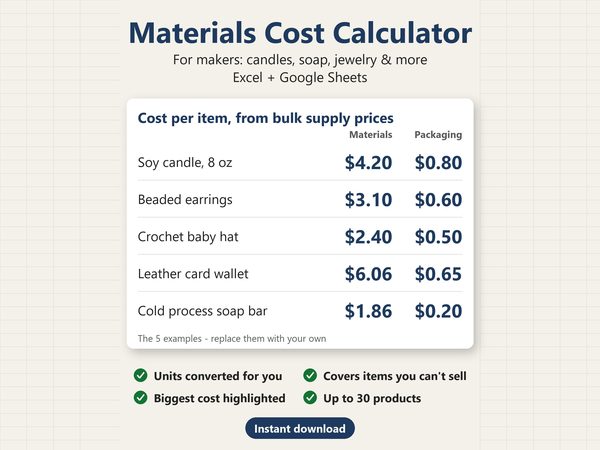
- Not sure what your items cost to make? The Materials Cost Calculator in our shop works it out from your supply prices.
- Amounts are in US dollars.
- Only the yellow cells can be changed, so the formulas are hard to break by accident.
- Room for 40 products, 30 events and 300 event stock rows. Adding more rows is not supported; for more events, start a second copy of the file (for example, one per year).
- Made for a computer screen: the sheets are wide, and it has not been tested on a tablet or phone.
- This is a digital download. Nothing will be shipped.
- For education and planning only. This is not financial, tax, legal or business advice.
- For personal use in your own business. Please do not resell or share the file.
ABOUT THIS TEMPLATE
Designed by SlateTally with the help of AI tools. Every result was checked in Microsoft Excel against an independent calculation, including unusual inputs such as an event with no products, more items sold than brought, a product listed twice for one event, costs that take every dollar of sales, a blank sold number and prices with or without tax. The Google Sheets version was checked cell by cell against the Excel file.
Questions? Send a message – happy to help.